
10 Common Bookkeeping Mistakes in QuickBooks & How to Fix Them
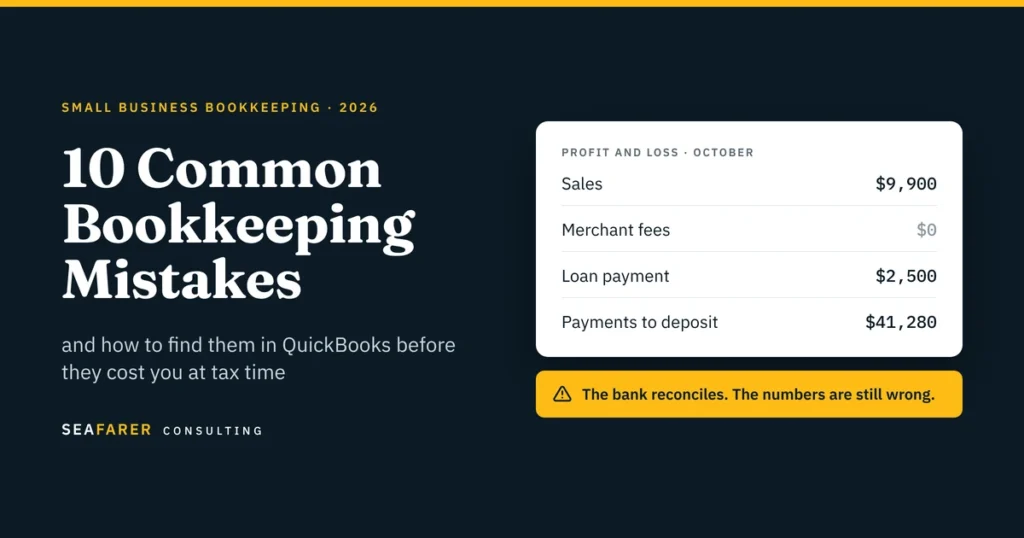
Most bookkeeping mistakes don’t show up as obvious errors. Your bank reconciles, QuickBooks shows a profit, and your reports look completely normal on the surface. The problem is that these hidden mistakes stay unnoticed until tax season, a loan application, or a sudden cash crunch. We have put together the 10 mistakes we most frequently find when taking over books from owners and previous bookkeepers. While most “bookkeeping mistakes” articles stop at generic advice like “separate your finances” and “use accounting software,” this guide goes deeper. We show you what each mistake looks like in QuickBooks Online, the report that exposes it, and how to fix it. If you are still deciding who should own your books, start with our guide to bookkeeping vs. accounting. Quick answer The most common bookkeeping mistakes are: Mixing Personal and Business Spending Accepting Bank Feed Suggestions Without Checking Them Booking Net Payment-Processor Payouts as Sales Recording Transfers, Loan Principal, and Owner Draws as Expenses Reconciling the Bank but Ignoring the Rest of the Balance Sheet Letting Payments to Deposit, Suspense or Clearing Accounts Pile Up Expensing Prepaids and Equipment the Month They Are Paid Treating Customer Deposits as Revenue on Receipt Tracking 1099 Vendors and Sales Tax Only at Year-End Closing the Month Without Reading the Reports The 10-minute self-audit You can check your own books for every mistake on this list without an accountant. Run each report in QuickBooks Online and look for the red flag. If any row turns up a red flag, the section below explains what went wrong and how to fix it. 1. Mixing Personal and Business Spending Ordering a personal product from Amazon using the company’s business card, or paying for business software on a personal card, creates two main problems: personal costs inflate your business expenses, and business costs paid personally go unrecorded and undeducted. How to fix it: Use separate accounts and dedicated bank cards for your business. When a mix-up happens anyway, record personal spending on a business card as an Owner Draw, do not record it as an expense. Conversely, record business spending paid on a personal card as an Owner Contribution or an expense reimbursement, and make sure to attach the receipt. The IRS expects you to be able to support every deduction with proper records. 2. Accepting Bank Feed Suggestions Without Checking Them The bank feed in QuickBooks only gives you automated suggestions. It does not do the accounting for you. If you accept everything blindly, it can create double transactions, link payments to the wrong invoices, or mark credit card payments as expenses. A credit card payment is a great example. The expense actually happened when you bought the item. Paying off the card just moves money from your checking account to your credit card. If you record that payment as an expense, you are counting the same cost twice. How to fix it: Reconcile every bank and credit card account monthly against the statement, not just the feed. A reconciliation that only ties the ending balance is not enough; the transactions inside it need to be right too. This is the core of our monthly bookkeeping service, and the step most DIY books skip. 3. Booking net payment-processor payouts as sales This is the mistake we fix most often for ecommerce and DTC brands and restaurants. Shopify, Square, Stripe and Toast deposit a net amount. Booking that deposit as sales hides your fees, understates refunds, and buries sales tax you owe the state. Here is a typical payout. A business sells $10,000 of product and collects $700 of sales tax on top. It issues $700 in refunds and pays $100 in processing fees. So, The deposit is $9,900. The correct entry: Account Debit Credit Bank (net payout) $9,900 Refunds and returns $700 Merchant and platform fees $100 Gross sales $10,000 Sales tax payable $700 The correct net revenue is $9,300. Book the $9,900 as sales instead and three things go wrong. Revenue is overstated by $600. The $800 of refunds and fees disappear from the P&L. And $700 of the state’s money is sitting in your income. Marketplaces are different. Amazon, Etsy and other marketplace facilitators usually collect and remit sales tax for you. That tax should not appear as a liability on your books at all. If you sell through both your own store and a marketplace, you need both treatments, and you may owe sales tax in states you have never filed in. Additionally, our sales and use tax team handles registration and filing in every state you sell into. Why it matters at tax time: The Form 1099-K a processor sends reports gross payments before fees and refunds. If your books only show net deposits, your revenue will not tie to the 1099-K, which is the mismatch that draws IRS notices. From our client work: The same problem shows up outside ecommerce. One of our clients collects state registration and filing fees from its customers and pays them on to the state. How to fix it: Record the gross sales, refunds, sales tax collected, and payment-processing fees separately from the net payout. The bank should receive the net amount, while the books preserve the gross activity and related liabilities and expenses. 4. Recording Transfers, Loan Principal, and Owner Draws as Expenses Not every dollar that leaves your bank account is a business expense. Three common transactions often get miscategorized: Transfers: When you transfer money between your checking, savings, or credit card accounts, you are simply shifting assets. It is not an expense. Loan Payments: Only the interest portion counts as an expense. The principal payment reduces your loan liability on the balance sheet. Owner Draws and Distributions: Money you withdraw for personal use belongs in equity, not as a business deduction. When these items are incorrectly categorized as expenses, it artificially lowers your reported profit, inflates your loan balances, and corrupts your tax filings. How
When Should a Small Business Hire an Accountant?
When Should a Small Business Hire an Accountant? A small business should consider hiring an accountant when its financial needs become more than just keeping the books current. Some of the signs that you might need additional accounting support include tax planning, complex reporting, financing, growth, ownership changes, and major financial decisions. There is no single revenue number that tells you when to hire. Complexity matters more. The better question is: Can your current financial process give you accurate information and enough insight to make decisions confidently? If not, it may be time to bring in an accountant. Quick Answer: When Should a Small Business Hire an Accountant? You may need an accountant when your business has more complex tax requirements, growing operations, financing needs, multiple entities or states, ownership changes, or financial decisions that require more than basic bookkeeping. If your books are accurate but you need help interpreting financial statements, making adjustments, planning for taxes, or preparing for financing, an accountant may be the next step. Why Revenue Doesn’t Determine When to Hire Revenue matters, but complexity usually matters more. A business can become financially complicated when it adds employees, debt, locations, states, inventory, owners, or larger investments. The IRS explains that good records help businesses monitor their progress, prepare financial statements, track income and expenses, and prepare and support their tax returns. IRS small-business recordkeeping guidance If transactions are not being recorded, accounts are not reconciled, or the books are falling behind, you may need a bookkeeper first. Read When Should a Small Business Hire a Bookkeeper? for those warning signs. If the books are current but you need help interpreting the numbers, making accounting adjustments, preparing for taxes, or handling more complex financial issues, an accountant may be the next step. When Should a Small Business Hire an Accountant? 7 Signs to Watch 1. Your Tax Decisions Are Becoming More Complicated Preparing a tax return is very different from making decisions throughout the year that affect your tax position. As a business grows, questions often come up around estimated taxes, depreciation, owner compensation, payroll, deductions, entity structure, and multi-state activity. An accountant can help you organize the financial information that your tax specialist needs and identify the key points that should be discussed before the end of the year. The IRS small-business recordkeeping guidance is a useful reference for the records a business should maintain. Before hiring an accountant, make sure to confirm whether their scope of work includes accounting, tax preparation, tax planning, or a combination of these services. 2. You Have Financial Statements, but You Still Cannot Explain What Is Happening Having a profit and loss statement and a balance sheet is useful, but understanding them is what actually matters. You must be able to explain the reasons behind profit changes, what affects your margins, where your cash is going, and whether your liabilities are increasing. If you do not trust your reports or usually need hours to understand them before making a big decision, an accountant can help review the underlying records and ensure your reports reflect the business properly. 3. Your Business Is Growing Faster Than Your Financial Process When a business grows, it often exposes weaknesses that were easy to ignore when the company was smaller. Having more employees, vendors, locations, payment platforms, inventory, or entities creates more complexity. You might start seeing old balances, incorrect classifications, inconsistent reporting, or reports that arrive too late. Hiring an accountant simply means that your accounting process needs to keep up with your growth. 4. You Are Preparing for a Loan or Outside Funding Accurate financial statements matter when someone outside your business is reviewing your numbers. A lender or investor may ask for your income statements, balance sheets, cash flow information, debt schedules, tax returns, or projections. For an SBA 7(a) loan, the application is submitted through a participating lender, and the documents required can vary based on the size of the loan and the lender’s process. The SBA also notes that businesses applying for its 7(a) Working Capital Pilot should be able to produce timely and accurate financial statements, accounts receivable and accounts payable aging reports, and inventory reports. SBA 7(a) loan guidance An accountant can help you prepare and make sure your financial statements are organized, internally consistent, and fully supported by your books. Your Business Structure or Ownership Is Changing Adding an owner, creating another entity, changing how your business is taxed, or restructuring operations can affect your accounting, payroll, reporting, and tax coordination. The IRS overview of business structures explains the common federal tax classifications. An accountant should not replace an attorney when legal advice is required, but in many situations, your accountant, tax professional, and attorney should work together. 6. You Are Making Bigger Financial Decisions Hiring employees, purchasing equipment, taking on debt, opening another location, or changing pricing can affect your business for years. At this stage, knowing last month’s profit will not be enough. You need to understand the effect on cash, profitability, debt payments, taxes, and the balance sheet. An accountant can help make sure the historical numbers behind these decisions are accurate. If you also need forecasting, budgeting, or scenario modeling, your business may be moving toward controller or fractional CFO support. 7. Tax Season Has Become an Annual Cleanup Project Tax season should not begin with fixing and rebuilding prior years. If your accountant or tax preparer repeatedly has to find missing transactions, reconcile old accounts, correct classifications, investigate balances, or rebuild schedules before your return can be prepared, the problem is happening earlier in the process. Getting accounting support during the year can make tax preparation smoother, give you more reliable financial records, and ensure you have accurate information throughout the year, not just before tax season. Accountant vs. Bookkeeper: Which Do You Need? A bookkeeper focuses primarily on keeping financial records current, while an accountant becomes more involved when those records need to be reviewed, adjusted, interpreted, or used for
When Should a Small Business Hire a Bookkeeper?

When should a small business hire a bookkeeper? The answer isn’t really about hitting a specific revenue number. It’s more about whether your financial records are still accurate, current, and manageable. When you keep pushing your reconciliations back, bookkeeping starts taking up time that should be spent running your business. Plus, if you reach a point where you can’t explain what happened financially last month, then you need to bring in help. The goal isn’t just to stop handling the books yourself. It’s to reach a point where your books actually give you valuable information you can use to grow. There Is No Magic Revenue Number A common misconception is that a business should wait until it reaches a certain amount of revenue before hiring a bookkeeper. A simple business with few transactions might be able to handle its bookkeeping internally for a while. On the other hand, another business with lower revenue but multiple bank accounts, employees, inventory, payment platforms, or a high volume of transactions may need professional support much earlier. IRS recordkeeping guidance focuses on maintaining records that clearly show income and expenses rather than on a specific revenue milestone for hiring a bookkeeper. Businesses may use different recordkeeping systems as long as the records clearly show their income and expenses. So the better question is not, “How much revenue are we making?” The right question is: Can our current bookkeeping process still keep up with the business? If you’re still deciding whether your business needs bookkeeping or higher-level accounting support, see our guide on Bookkeeping vs. Accounting: What’s the Difference for a Small Business? When Should a Small Business Hire a Bookkeeper? 7 Signs to Watch 1. Your Books Are Consistently Behind When your transactions sit uncategorized for weeks, your bank reconciliations fall several months behind, or your financial statements only get cleaned up around tax time, the process is clearly not keeping up with your business. The IRS notes that recording transactions as they happen is a good recordkeeping practice and generally recommends recording transactions on a daily basis. That doesn’t mean every small business needs a bookkeeper entering transactions every single day. It simply means that when your records are consistently falling behind, it becomes much harder to trust your financial reports when you actually need them. 2. You Cannot Easily Answer Basic Financial Questions If it takes you hours of cleaning up spreadsheets or reconciling accounts before you can answer basic questions like: What did we make last month? What do customers currently owe us? What bills are coming due? Which expenses increased? Are our bank and credit card balances reconciled? Are we actually becoming more profitable? then your bookkeeping process is no longer giving you reliable financial visibility. A good bookkeeping system should help you answer these questions without rebuilding the numbers first. Up-to-date books make your profit and loss statement and balance sheet useful management tools, not just reports you look at during tax season. 3. Bookkeeping Is Taking Too Much of the Owner’s Time In the early stages of running a business, doing your own bookkeeping makes total sense. But as you grow, there comes a point where the owner’s time becomes far too valuable to spend on basic data entry. If bookkeeping has started eating into your evenings or weekends, ask yourself what else you could do with those hours. What is more valuable to your business right now? Serving your customers Generating new sales Hiring key team members Improving operations Reviewing high-level performance rather than entering transactions The decision to delegate doesn’t come down to a fixed number of hours spent. Instead, the real question is: Is bookkeeping still a reasonable owner responsibility, or has it become an operational role of its own? Recognizing that distinction makes all the difference. 4. Accounts Receivable and Accounts Payable Are Becoming Harder to Track Bookkeeping isn’t just about recording transactions you’ve already done or tracking money you spent or earned in the past. It is also about managing core financial tasks like: Accounts Receivable: Knowing who owes you money, how much they owe, and how late their payment is. Accounts Payable: Knowing what bills your business owes and when you need to pay them. The Small Business Administration (SBA) lists accounts receivable, accounts payable, available cash, bank reconciliation, and payroll among important financial areas businesses need to manage. If customer invoices are constantly overdue, vendor bills are getting lost in your email inbox, or you aren’t sure how much cash you actually have today, it may be time to bring in professional bookkeeping help. 5. Your Business Has Become More Complicated Your bookkeeping workload doesn’t grow just because your sales are going up. It also grows when your business structure gets more complicated. Complexity increases when you: Hire employees or run payroll Add new bank accounts or credit cards Carry physical inventory Open a second location, start a new company, or launch a new product line Use sales and payment platforms like Shopify, Square, or Stripe Start collecting sales tax or paying off business loans Each new tool or account adds more transactions, making it harder to categorize and reconcile everything accurately. This is why a simple business making $500,000 can actually be easier to keep books for than a $200,000 business with inventory, payroll, and three different online sales channels. A Quick Bookkeeper Readiness Test Instead of worrying about your total revenue, ask yourself these five simple Yes/No questions: Question Yes No 1. Are all your bank and credit card accounts reconciled every single month?
Outsourced vs. In-House Bookkeeping: Which Is Right for Your Small Business?
For businesses that don’t need a full-time bookkeeper, outsourcing provides consistent financial support without adding an employee. This outsourced vs in-house bookkeeping comparison looks at cost, availability, expertise, scalability, backup coverage, and financial controls. In-house bookkeeping makes more sense when the business needs someone involved throughout the day and has enough ongoing work to have a dedicated employee. Additionally, a freelancer falls between the two and does not provide the same backup coverage as an outsourced firm. What Is Outsourced Bookkeeping? Outsourced bookkeeping means hiring an accounting firm or a professional freelancer to handle your day-to-day bookkeeping, rather than bringing on a full-time employee. You simply pay them to handle specific financial tasks based on what your business actually needs. Indeed, there is an important difference between outsourcing to a firm and hiring a solo freelancer. A bookkeeping firm may have multiple team members who can provide coverage if your assigned bookkeeper is unavailable. A freelancer is still one person, so the business can face the same single-person dependency that comes with relying on one internal employee. There is also a worker-classification issue to keep in mind when hiring an individual freelancer. The IRS looks at behavioral control, financial control, and the overall relationship between the business and the worker. If a company controls how the individual performs the work rather than simply defining the result it expects, that can weigh toward employee status rather than independent-contractor status. Depending on your setup, an outsourced bookkeeper can help you with: Categorizing daily income and expenses Reconciling bank accounts and credit cards Managing accounts payable and receivable (bills and invoices) Processing payroll entries Generating monthly financial statements Cleaning up past backlogged accounts Typically, businesses pay through three common methods: a flat monthly fee, an hourly rate, or a fixed project price. These are great flexible options for growing companies that need reliable help without taking on a full-time salary. If you want to learn more about how bookkeeping rates work, check out our detailed guide on How Much Does Bookkeeping Cost? to see what impacts your monthly pricing and which method fits your budget best. What Is In-House Bookkeeping? In-house bookkeeping means hiring an employee directly into your business. This person handles your day-to-day financial routine and gets involved in all your financial work. The best thing about having an in-house bookkeeper is that you have direct access and communication with them. Whether you have a quick question, a vendor issue, or need to check on a customer payment, they are right there to communicate with immediately. However, hiring an internal employee comes with financial responsibilities beyond their base salary. The main outsourced vs in-house bookkeeping differences are summarized below. Factor Outsourced In-House Cost structure Monthly, hourly, or project fee Salary plus employment costs Daily availability Based on service agreement Usually higher Scalability Easier to adjust May require additional hiring Internal knowledge Develops over time Often stronger Broader expertise Often available through a team Depends on employee Training Provider responsibility Employer responsibility Backup coverage Often available May depend on one person 1. Compare the Full Cost Cost is often one of the biggest factors in an outsourced vs in-house bookkeeping decision. Don’t just compare a monthly fee to a basic hourly payment. When you have a full-time employee, they come with extra costs like payroll taxes, health insurance, paid time off, software access, equipment, and training time. According to the U.S. Bureau of Labor Statistics, the median annual wage for bookkeeping, accounting, and auditing clerks was $50,670 in May 2025. Employers also pay their share of payroll taxes. According to IRS Publication 15, employers generally pay 6.2% for Social Security, up to the annual Social Security wage base, and 1.45% for Medicare. Together, that is 7.65% on wages subject to both taxes. On a $50,670 salary, that adds approximately $3,876 per year in employer Social Security and Medicare taxes. That puts salary plus employer FICA at approximately $54,546 per year, or $4,546 per month, before adding unemployment taxes, benefits, paid time off, recruiting, training, software, equipment, and other employment costs. In practice, standard outsourced bookkeeping for a small business often falls between $300 and $1,500 per month, depending on transaction volume, complexity, and the scope of work. More complex businesses with multiple entities, inventory, payroll, or higher transaction volume may pay $2,500 or more per month. That does not make outsourcing automatically cheaper in every situation because the scope is different. An outsourced provider is generally not giving you one employee for 40 hours every week. The real comparison is the level of support your business actually needs. However, if your business genuinely needs someone working on financial tasks throughout the day, hiring internally may still make more sense. The main question: How many hours do you need your bookkeeper to work each week? 2. Consider Availability An in-house bookkeeper is easier to talk to and simple to access throughout the day. If your business has constant questions about invoices, vendors, payments, customers, or internal departments, they are usually easier to reach throughout the day. Outsourced bookkeeping is different. Communication happens through clear channels, with set deadlines and clear response expectations, but they won’t be available every minute of the day. For many small businesses, this level of scheduled support is more than enough. But for companies with high daily financial activity, an internal employee is often the better fit. 3. Think About Expertise An in-house bookkeeper only brings the experience of one person. An outsourced accounting firm, on the other hand, gives you access to the collective experience of a whole team, ranging from routine bookkeepers to accountants, controllers, and fractional CFOs. This becomes very valuable as your business grows beyond basic bookkeeping. Over time, you may need help with month-end closes, cash-flow forecasting, budgeting, financial reporting, internal controls, and strategic planning. Before choosing an employee or a provider, think about the level of expertise your business will need over the next few years, not just
How Much Does Bookkeeping Cost for a Small Business?
Understanding bookkeeping cost for small business owners can be difficult because there is no single price that fits every company. Costs depend on transaction volume, the number of bank and credit card accounts, payroll, inventory, business complexity, and whether your books need cleanup before ongoing work begins. There are three ways that bookkeeping firms usually charge: hourly, monthly flat fee, or project-based pricing. So, according to your workload and how consistent your bookkeeping needs are, you can choose the right option. If you’re still deciding whether you need a bookkeeper, an accountant, or both, start with our guide on Bookkeeping vs. Accounting. This article focuses specifically on bookkeeping pricing and what affects it. What Affects Bookkeeping Pricing? The more work your books require, the more bookkeeping is likely to cost. Transaction volume. Usually, a business with 50 transactions a month takes less time and work than one with hundreds of sales, refunds, and vendor payments. Number of accounts. Every payment processor or account that needs to be reconciled, such as a bank account, credit card, Stripe account, or PayPal account, adds to the workload. Payroll. Managing employee wages, tax withholdings, and recurring filings adds a whole extra layer of work. Inventory tracking. Selling physical products may require extra oversight to track Cost of Goods Sold (COGS) and keep inventory numbers accurate. Multiple entities. When you run more than one company, each legal entity needs its own set of books and reconciliations. Industry complexity. Complex businesses like construction, e-commerce, healthcare, and other industries may need more specialized bookkeeping. Condition of your books. Books that are months behind or contain unreconciled accounts and errors are more difficult to maintain than clean books. As your company grows, the bookkeeping cost for small business operations may increase because there are more transactions, accounts, payroll entries, and reconciliations to manage. How Do Bookkeepers Charge? Hourly Hourly payment means paying for the time spent on your books. This could be used for occasional support, limited cleanup, or businesses with unpredictable needs month to month. Monthly Flat Fee Here, you pay a set and predictable amount each month based on your expected workload and services. This is good for ongoing bookkeeping because it doesn’t surprise you with an hourly bill. Project or Fixed Fee It means paying a set price for clear project requirements, such as a cleanup, catch-up bookkeeping, or preparing records for a sale or tax filing. Pricing Best For Hourly Occasional support & unpredictable needs Monthly fee Steady, ongoing bookkeeping Project fee One-off cleanups & defined projects What’s Usually Included? Bookkeeping services sometimes include: Recording and categorizing transactions Bank and credit card reconciliations Tracking accounts payable and accounts receivable Monthly financial statements Basic reporting for tax preparation Some other services may cost extra, such as payroll, sales tax filings, inventory management, and controller-level analysis, depending on the provider. When working with a bookkeeper, always ask what is included in the set price and what is going to be paid separately. Cleanup vs. Ongoing Bookkeeping: Why Your Starting Point Matters Before a bookkeeper starts your day-to-day accounts, they need clean books. If you have late financial records or your books are full of unreconciled accounts, then you need your books to be cleaned and caught up first. Therefore, the initial cost is going to be affected. Separate pricing. Cleaning up your books is usually a one-time project, and its cost is almost always billed separately. The cost is decided according to how many past months need fixing and how complex the errors are. Shopping tip. When comparing costs between firms, always ask if your starting point requires a cleanup phase and whether that cost is included or billed separately upfront. What Should You Ask Before Hiring a Bookkeeper? When comparing providers, consider what is included in the bookkeeping cost for small business services rather than choosing based on price alone. It is good to ask these five questions in your introductory call in order to avoid any cost surprises and find the right partner for your business: What exactly are the tasks included in this cost, and what tasks have a separate cost? Do my books need cleanup before starting my day-to-day work? How often will I be updated with my financial reports? Which software will we use for the work? When my business volume grows or becomes more complex, how will this affect the pricing? The answers to these questions are as important as the price itself. Does outsourcing bookkeeping justify the cost? Hiring an outsourced bookkeeper can make sense: When bookkeeping tasks take up too much of your time and pull you away from important business operations. When past bookkeeping errors or problems cause delays at tax time. When your transaction volume grows and becomes difficult to manage yourself. When you need reliable financial insights so you can make decisions using your financial statements. You can wait if you’re an early-stage business and your transaction volume is low. Setting up and managing the software yourself might be a good option until your business activity becomes bigger. Outsourcing vs. Hiring In-House Hiring a full-time bookkeeper is a bigger commitment than most business owners realize. On paper, a full-time bookkeeper makes a median salary of about $50,670 a year, according to the U.S. Bureau of Labor Statistics. But that baseline number doesn’t tell the whole story. When you hire an actual employee, you aren’t just paying their salary. The U.S. Small Business Administration points out that an employee usually costs 1.25 to 1.4 times their base pay once you add extra costs such as payroll taxes, health benefits, paid time off, software seats, and onboarding time. That means a $50k employee can easily cost your business $65,000+ a year out of pocket. Outsourced bookkeeping reduces those extra employer costs. You simply pay a flat rate for the exact level of support you need without taking on the financial burden
Bookkeeping vs. Accounting: The Ultimate Guide for business
There’s a moment most business owners face. You’ve spent months, maybe years, building your business, and things are going well: customers are coming in, the product works, people like what you’re doing. Then someone asks a simple question: “What’s your profit margin looking like?” And you freeze. Not because you don’t care about the numbers. You’re just busy running the business. The invoices, the receipts, the emails you’ve been meaning to sort, bookkeeping has been sitting on your to-do list since March. If this sounds like you, take a breath. You’re in the right place. Understanding the basics of bookkeeping and accounting services isn’t just for finance people; it’s what tells you honestly whether your business is actually working. This guide breaks down bookkeeping vs. accounting, how each function works, and why small businesses often need both. Bookkeeping vs. Accounting: What’s the Difference? Here’s something that often causes confusion: bookkeeping and accounting may sound like the same thing, but they’re actually two different jobs. When comparing bookkeeping vs. accounting, the key difference is that bookkeeping organizes the financial data while accounting helps interpret it. Bookkeeping is the process of recording and organizing a business’s financial transactions. Accounting goes further, summarizing, analyzing, interpreting, and reporting on that financial information. Bookkeeping is the day-to-day recording of financial activity. Every invoice, expense, payment, and transaction needs to be accurately recorded and categorized. It builds the financial records a business relies on. Accounting takes those records and turns them into useful information. It helps answer questions like: What does the data actually tell us? How is the business performing? Where are the risks or opportunities? And what should happen next? Bookkeeping Accounting What it is Recording daily transactions Analyzing and interpreting financial data Frequency Daily/Weekly Monthly/quarterly/annually Examples Invoices, receipts, payroll entries Tax planning, financial statements, forecasting Who does it Bookkeeper/Accounting Professional Accountant/controller/CPA, depending on the work Think of it this way: bookkeeping is like grocery shopping. Accounting takes those groceries and turns them into a meal; bookkeeping provides the information; accounting helps you use it. You generally need both functions. Great analysis built on messy records is just guessing with extra steps, while clean records with no analysis only show you what happened, not what to do next. Why You Can’t Really Get Away With Just One A lot of small businesses start working with one side of the process. They may hire a bookkeeper and skip the accounting side, or they handle the bookkeeping themselves and call an accountant only at tax time. Both roles matter, and the quality of one directly affects the other. If your books are inaccurate or disorganized, your accountant is working with unreliable information, which affects both the advice you get and the accuracy of your tax filings. On the other hand, simply keeping your books up to date isn’t enough on its own. Without someone analyzing what the numbers actually mean, you could look profitable on paper while struggling with cash flow. That happens more often than most business owners realize. Cash flow is one of the most common challenges facing small businesses. SCORE cites research indicating that cash-flow problems play a role in 82% of small-business failures. It doesn’t mean that cash flow is always the sole reason, but it is almost always part of it. That is why accurate bookkeeping needs financial analysis. Clean records show what happened; analysis helps you understand what the numbers mean and what’s coming next. Signs You Need Professional Bookkeeping and Accounting Services Don’t wait until things fall apart to bring in support. A few signs it’s time: Finding your net profit from last month takes 20 minutes of digging Your business and personal expenses are in the same bank account Every tax season feels like an emergency You’re spending hours a week on data entry a system could do in minutes Your financial statements are either ignored entirely or don’t give you any real clarity If several of these sound familiar, it may be time to bring in professional support rather than continuing to manage the finance function yourself. Common Mistakes Small Business Owners Make Mixing personal and business money. It seems convenient at first, but blending your accounts makes tax prep a nightmare and leaves you guessing about actual profits. Focusing on profit instead of cash flow. You can be completely profitable on paper and still run out of cash to cover payroll next Friday. Clinging to outdated spreadsheets. Manual systems work fine when you’re starting out, but as transaction volume grows, those same spreadsheets become a real operational liability. Treating taxes as a once-a-year surprise. Waiting until April to look at your tax liability leads to frantic receipt hunting, missed tax-saving strategies, and surprise bills. How to Choose the Right Bookkeeping and Accounting Services Provider A few things matter more than others when you’re ready to bring someone in: They’ve worked with businesses your size, in your industry Their pricing and scope of work are clearly explained before the engagement begins. You have timely access to your financial information rather than waiting for reports without visibility into the underlying data. They explain things in plain language; if every conversation leaves you more confused, that’s not the right fit Ideally, your provider can continue supporting the business as its needs become more complex, including controller, forecasting, or fractional CFO support when appropriate. Frequently Asked Questions What’s the difference between bookkeeping vs. accounting? Bookkeeping focuses on recording and organizing financial transactions, while accounting focuses on analyzing, interpreting, and reporting financial information. Do small businesses need both bookkeeping and accounting? Yes. Bookkeeping can provide clean, organized records, but without analysis, business owners may still lack the insight needed to make informed decisions. On the other hand, when a company does accounting without solid bookkeeping, the accountant is working with unreliable data. They depend on each other. When should a small business hire a bookkeeper or accountant? You may want professional support if several of these signs are familiar: Not knowing
Crypto Accounting for Businesses: A Practical Guide

Crypto is no longer just a future idea. It’s becoming part of everyday business. Companies now use digital currencies to get paid by international clients, work with international contractors, or hold crypto as an asset. Crypto accounting for businesses is becoming more important as companies begin using digital assets in everyday transactions. While crypto can make transactions faster and easier, it also creates new accounting challenges. How can businesses keep their books accurate, organized, and compliant while managing digital assets? If your company uses cryptocurrency, here are five practical steps for keeping your crypto accounting and bookkeeping organized under current U.S. rules. Crypto Accounting for Businesses: Five Practical Steps Step 1: Separate Your Business and Personal Crypto Wallets Before starting any crypto transactions, companies really need to organize their wallets first. Most importantly, never mix business and personal crypto. It’s also good practice to separate wallets used for daily operations from crypto held as long-term assets. If you keep everything in one wallet, it can become difficult to understand the purpose of each transaction. There is a common mistake that occurs most often which is that many business owners open the exchange account under their own name and personal tax ID, then use it for company funds. The wallet may look like a business wallet, but on paper the activity belongs to the owner, not the company. Open exchange accounts in the legal name of the entity, using the company EIN, and keep the login under company control. Separating your crypto wallets makes reconciliation, tax preparation, and financial reporting much easier. Step 2: Record Fair Market Value and Apply GAAP Correctly When a company receives cryptocurrency, it is not enough to just record the number of tokens, such as “1 ETH” or “0.5 BTC.” The company should also record its fair market value in U.S. dollars at the time of the transaction. For example, if a client pays 1 ETH worth $3,000, the company should record the payment at its U.S. dollar value. That $3,000 becomes the starting tax value, or cost basis, of the ETH. Recording it makes it easier to calculate the gain or loss when the crypto is later sold or used. If you do not record the value on the day you receive it, you lose the number which you are going to need when you sell or spend the coin. When a company holds the crypto, qualifying crypto assets under FASB ASU 2023-08 are measured at fair value at each reporting period. This matters because changes in qualifying crypto asset values affect net income and the company’s financial results. Two limits are worth knowing here. First, this rule applies to companies that prepare GAAP financial statements. Many owner-operated businesses report on a tax basis or cash basis and never produce GAAP statements at all, so this measurement rule may not touch their books. Second, not every digital asset qualifies. Assets that give the holder a claim on something else, such as many stable coins, along with NFTs and any token the company itself issued, fall outside the scope and stay under the older cost-less-impairment model. Step 3: Track Crypto Cost Basis and Taxes The IRS treats cryptocurrency as property. Therefore, businesses need to track the cost basis and crypto’s value when they sell, exchange, or use it. For crypto accounting for businesses, keeping accurate cost-basis records is especially important for tax reporting. When a business sells crypto, exchanges it for another digital asset, or uses it to pay an expense, the transaction may create a taxable gain or loss. Gain or Loss = Amount Realized − Adjusted Tax Basis The business compares the amount received from the sale or use of the crypto with its adjusted tax basis. Companies should maintain accurate records of the acquisition date, original value, transaction fees, and the date the crypto was sold or otherwise disposed of. Paying contractors in crypto creates two events When paying employees or contractors in cryptocurrency, companies still need to follow the requirements of normal payroll and tax reporting. Companies report the payment at its fair market value on the payment date, just like a cash payment. What gets missed is the second half. Spending crypto is a disposition. If you bought 1 ETH at $2,000 and later pay a contractor with it when it is worth $3,000, you report the $3,000 payment on the contractor’s Form 1099-NEC and you also recognize a $1,000 gain on your own return. The bill for that gain is real, and it arrives whether or not any cash moved. Wash sales do not currently apply to crypto The wash-sale rule stops investors from selling a stock at a loss and buying it back within 30 days. The IRS wrote that rule for stocks and securities. Because the IRS treats crypto as property, it does not currently apply the same way to digital assets. Congress has proposed closing this gap more than once, so treat it as a current position rather than a permanent one, and confirm it before relying on it in a given tax year. Step 4: Reconcile Crypto Every Month Perform a monthly crypto reconciliation, just like a bank reconciliation. This helps you categorize every transaction correctly. Every month, you need to reconcile your accounting records with wallet balances, exchange statements, and blockchain activity. If the company transfers crypto between its wallets, do not record the transfer as revenue or an expense. Also review transaction fees, customer payments, purchases, and realized gains or losses. Step 5: Use Crypto Accounting Software Because of the increase in transaction volume, managing everything manually can become difficult. Therefore, using crypto accounting software can help companies organize transactions, track cost basis, reconcile wallets, and connect crypto activity with their accounting system. The aim is to create a clear audit trail that makes monthly bookkeeping, financial reporting, and tax preparation easier. Frequently Asked Questions How do I record crypto received as payment? Record the revenue at the fair market value in U.S.
Is Your Business Ready to Switch from Cash to Accrual Accounting?
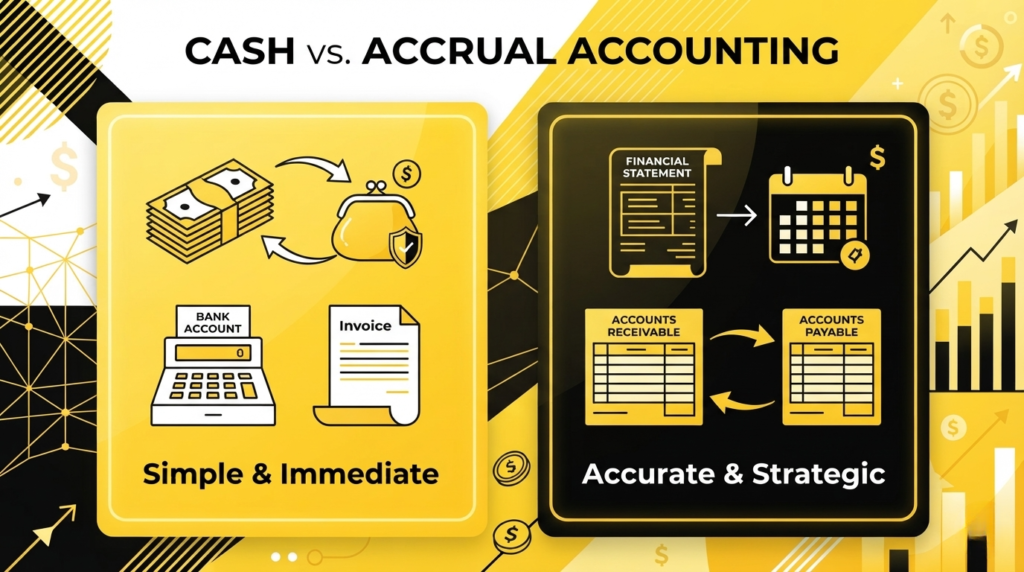
If you’ve ever checked your bank account, felt like things were fine, and then got hit with a bunch of unpaid bills out of nowhere, you’ve already experienced the difference between cash and accrual accounting without knowing it. Most small business owners just pick a method when they’re starting out and never really think about it again. However, what works when your business is small doesn’t always work as things start to grow. So here’s a breakdown of both methods and how to know when it might be time to switch. In simple terms, cash accounting records income and expenses when money actually moves in or out of your account, while accrual accounting records them when they are earned or incurred, regardless of when cash changes hands. The method you use affects your financial statements, your taxes, and, in some cases, you may not even get to choose. What Is Cash Accounting? Cash accounting is the method where you record income when money actually comes in and expenses when money actually goes out. If a client pays you in June, that’s June income. If you receive a utility bill in June but pay it in July, that becomes a July expense. It’s simple, straightforward, and works perfectly for many small businesses just getting started. For companies that need reliable accounting services for companies, cash accounting offers a clear view of the bank balance, how much money is coming in, and how much is going out. What cash accounting does well: Simple to maintain and easy to understand Lower bookkeeping complexity Gives a clear view of actual cash coming in and going out Works well for freelancers and small service businesses with low transaction volume Where it starts to fall short: When you have unpaid invoices or vendor bills, your books don’t tell the full story Hard to do meaningful budgeting or forecasting Bank balance alone can become misleading as the business grows Lenders and investors generally prefer accrual-based financials What Is Accrual Accounting? Accrual accounting records income when it’s earned and expenses when they’re incurred, regardless of when cash actually moves. So if you make a sale in June but the customer has 30 days to pay, that’s still June revenue. And if you receive a utility bill in June but pay it in July, it shows up as a June expense. The result is a much more accurate picture of how your business is actually performing month to month, with June staying in June and July staying in July. You can look back at your financials to see which months were profitable and which were slow, and plan accordingly. What accrual accounting does well: More accurate financial statements as income and expenses match the period they actually belong to Supports budgeting and forecasting based on real trends Stronger reporting for lenders and investors Better insight for strategic decisions at the controller level Makes it possible to track accounts receivable, accounts payable, inventory, and other balance sheet items properly Where it’s more complex: More moving parts and higher bookkeeping complexity Requires understanding of balance sheet accounts, like accounts receivable and accounts payable Takes more time to set up and maintain properly Cash vs Accrual: How They Compare Category Cash Accounting Accrual Accounting Income recorded When cash is received When the sale is made/earned Expenses recorded When cash goes out When an expense is incurred Complexity Simple More complex Best for Small businesses and freelancers Growing businesses, inventory, AR/AP, investors Forecasting/budgeting Limited Strong Lender/investor reporting Less preferred Preferred Accounts receivable/payable Not tracked Tracked on the balance sheet Quickbooks Online Supported Supported Which Industries Tend to Use Each Method? Cash accounting works well for freelancers, consultants, and very small service businesses where transactions are straightforward and volume is low. For example, if you run a small business with 25 transactions a month, cash accounting is probably all you need. Accrual accounting is generally the better fit for construction, manufacturing, retail, e-commerce, healthcare, property management, and any company looking to bring in investors or secure a line of credit. That said, carrying inventory does not automatically mean you have to use accrual accounting. Since the 2017 Tax Cuts and Jobs Act, businesses with average annual gross receipts under the IRS threshold ($32 million for 2026) can use cash accounting even if they carry inventory. Inventory is a strong reason why accrual accounting gives you more useful financial information, but it is no longer the primary driver of the switch for most small businesses. The Biggest Misconception: Profit Doesn’t Equal Cash One of the most common things business owners get wrong is assuming that if the business is profitable, there should be cash in the bank. That’s not always true. A business can be profitable on paper and still have very little cash if customers haven’t paid yet. Under accrual accounting, that $400,000 in accounts receivable shows up as an asset on your balance sheet, but it’s not in your bank account. Cash accounting wouldn’t reflect that sale at all until the money actually arrives. That’s why looking at your financial statements through an accrual lens gives you a much fuller picture of where your business actually stands. How Does This Affect Taxes? The accounting method you choose affects when income and expenses are recognized for tax purposes, which means it can impact your taxable income in a given year. It also affects how useful your financial reports are when filing. One thing worth knowing: QuickBooks Online can run reports using either method, so you can toggle between cash and accrual views. But just changing the reporting setting doesn’t convert your books; a proper transition from cash to accrual accounting requires cleaning up the balance sheet, including accounts receivable, accounts payable, prepaids, inventory, fixed assets, and accrued expenses. So, When Should You Switch? There’s no one-size-fits-all answer, but here are some clear signs it might be time to move from cash to accrual accounting: You have customers who pay on net 30 or
Ramp vs. Bill.com vs. QuickBooks Bill Pay: Complete Comparison
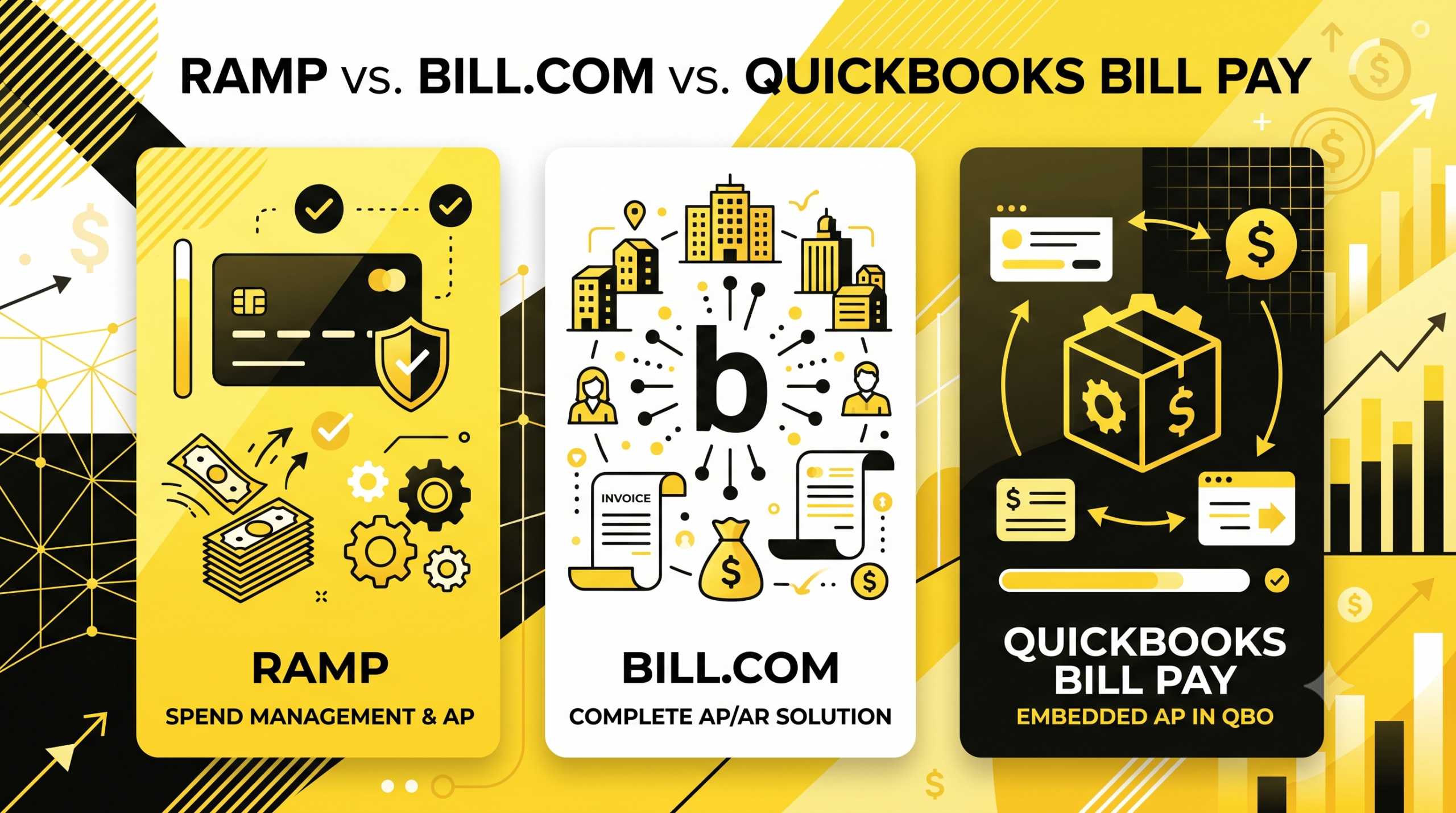
Let’s be honest, dealing with vendor invoices is nobody’s favorite part of running a business. You get a PDF, you enter it manually, you chase someone for approval, and then you’re not even sure if the payment went out. Multiply that by twenty vendors, and it becomes a real problem. The three most popular ones are Ramp, Bill.com, and QuickBooks Bill Pay. They all solve the same basic problem, but they’re built a little differently and for slightly different types of businesses. This Ramp vs Bill.com vs QuickBooks Bill Pay comparison breaks down the pricing, automation, integrations, and best use case for each platform. What is AP automation? Accounts payable is simply the money your business owes to vendors, and someone has to make sure those payments actually reach them. In practice, it involves a lot of manual invoice entry, approval follow-ups, and double-checking that payments went through. AP/AR services and AP automation help put much of that process on autopilot. Ramp Ramp started out as a corporate card company back in 2019 and has grown into something much bigger. Now it handles AP automation, expense management, and corporate cards all in one place. Cards, expenses, bill payments, and banking are all on one platform. The way it works: you or your vendor uploads an invoice PDF, and Ramp reads it automatically — vendor name, amount, invoice number, all of it. From there, you set up who needs to approve it, when it gets paid, and it all syncs back to QuickBooks or Xero without you doing anything extra. Ramp also does automated receipt matching, real-time spend controls, and policy enforcement that runs in the background. One thing worth knowing: Ramp’s free tier already includes automatic QuickBooks and Xero sync. Bill.com doesn’t give you that until you’re on a higher paid plan, which is a meaningful difference if you’re watching your budget. On pricing, the base plan is free and the Plus plan runs $15/user/month whereas the Enterprise plan is custom. For Bill Pay specifically, Ramp charges $0.59 per ACH transaction and $1.99 per check as of June 2026, though those fees get waived if you’re paying from a Ramp Business Account. The main thing Ramp doesn’t do is AR, so if you also need to send invoices and collect payments from customers, you’ll need a different service for that. What Ramp does well: Free tier with genuine AP automation, corporate cards, and expense management Automatic QuickBooks and Xero sync on the free tier Real-time spend controls and receipt matching Integrates with NetSuite, Sage Intacct, QuickBooks, Xero, and 50+ other tools ACH and check payments, domestic wires, and international payments Where it falls short: No AR functionality — you’ll need a separate tool to invoice clients and collect payments Advanced approval workflows and multi-entity support are locked behind paid tiers Primary fit is for US-based businesses with a US bank account Bill.com Bill.com (now officially just “BILL”) has been around longer and is one of the most widely adopted AP/AR platforms for small and mid-market businesses. The big difference from Ramp is that it handles both AP and AR, so you can manage what you owe and what you’re owed all in one place. The AP side works similarly: vendors send invoices, the system pulls the details using AI-powered data extraction, you approve and schedule payment. It integrates directly with QuickBooks Online, QuickBooks Enterprise, Xero, Sage Intacct, Oracle NetSuite, and Microsoft Dynamics, with sync running automatically or on demand. Bill.com’s vendor network is one of its strongest selling points. With over 8 million businesses in its network, paying a new vendor often means they’re already on the platform, and you don’t need to collect bank details manually. The platform also processes around 1% of US GDP annually, which gives a sense of the scale. Bill.com claims customers save around 50% of their time on AP processes. That’s their own reported figure, and it aligns with what you’d expect when you eliminate manual data entry and email approval chains. On pricing, the Essentials plan starts at $49/user/month, Team at $65/user/month, Corporate at $89/user/month and the Enterprise plan is custom. Transaction fees also apply on top of the subscription, depending on the payment method. One thing to note is that automatic QuickBooks sync isn’t available on the base Essentials plan; you have to be on the Team tier or above for that. What Bill.com does well: Handles both AP and AR in one platform Network of 8+ million businesses for faster vendor payments Native two-way sync with QuickBooks, Xero, NetSuite, Sage Intacct, and Microsoft Dynamics AI-powered invoice capture with 95% day-one accuracy on key fields Duplicate invoice detection before payment Dedicated accountant dashboard for firms managing multiple clients Where it falls short: Costs add up quickly with users and transaction volume QuickBooks automatic sync requires Team tier or above Approval workflow customization is limited for complex hierarchies or multi-entity structures QuickBooks Bill Pay QuickBooks Bill Pay isn’t a separate product as it’s built right into QuickBooks Online. Which is honestly its whole selling point. You’re already in QBO to do your books, so being able to pay bills from the same place without logging into anything else is genuinely convenient. You can create bills, get approvals, and send payments via ACH or check without leaving QBO. And as of June 2026, Intuit updated its pricing so that all Bill Pay tiers now include standard ACH with no per-transaction fees, which makes it an even more attractive option for smaller operations that don’t want to pay per payment. The tradeoff is automation depth. QuickBooks Bill Pay requires more manual data entry than dedicated AP platforms and doesn’t have the same depth of approval workflows or vendor network. For a business processing a handful of vendor bills each month, that’s totally manageable. For a business with a high volume of incoming invoices, it’ll start to feel like a barrier. What QuickBooks Bill Pay does well: Everything stays in one system — no separate login or
a Controller rule: What They Do When Your Business Needs One
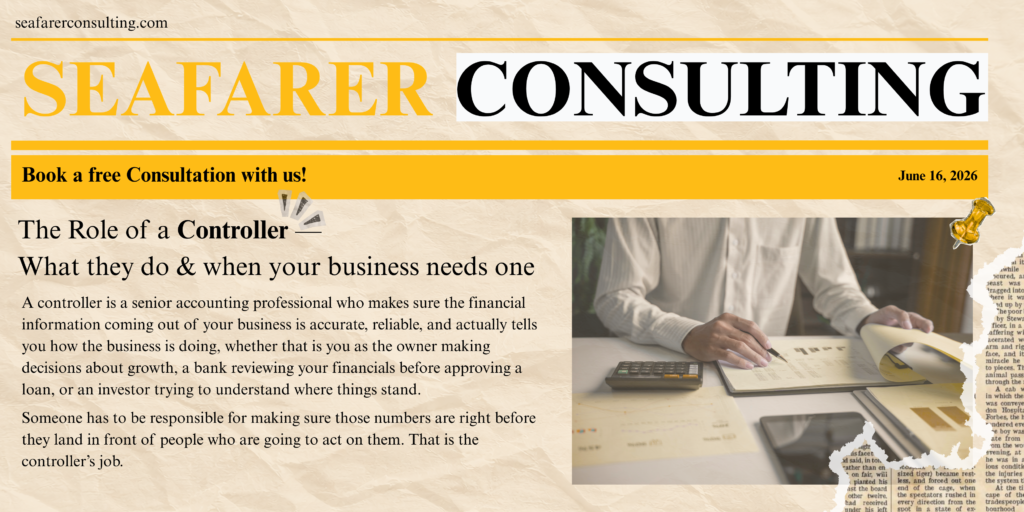
There is a certain stage in a growing business where having someone enter transactions is no longer enough. The books are getting done, but nobody is analyzing them. Nobody is catching the trends, flagging the variances, or making sure the financial statements actually reflect what is happening. While bookkeeping services keep financial records organized, this is not a bookkeeping problem. That is a controller problem. What Is a Controller? A controller is a senior accounting professional who makes sure the financial information coming out of your business is accurate, reliable, and actually tells you how the business is doing, whether that is you as the owner making decisions about growth, a bank reviewing your financials before approving a loan, or an investor trying to understand where things stand. Someone has to be responsible for making sure those numbers are right before they land in front of people who are going to act on them. That is the controller’s job. They are not doing the day-to-day transaction work. Your bookkeeper and junior accountants handle that. The controller is the person making sure all of that work adds up to something accurate and reliable. How the Accounting Team Fits Together Picture a pyramid. At the bottom, bookkeepers and junior accountants handle the transactions — entering invoices, recording payments, and categorizing expenses. Above them, an accounting manager reviews that work and makes sure it is complete. At the top sits the controller, reviewing the full financial picture at month-end and making sure the numbers actually make sense. For larger payments, the controller is often the one who reviews and approves before anything goes out. Month-end is where a controller really earns their place. Rather than just checking that transactions were entered, they go through the financial statements looking for anything that seems off – an account balance that jumped compared to last month, an expense that looks higher than usual, a revenue figure that does not match what was expected. It is not about auditing every single line. It is about knowing what normal looks like for that business and catching anything that does not fit before it becomes a real problem. Controller vs. Bookkeeper — What Is the Real Difference? A bookkeeper is focused on keeping up with transactions as they happen — entering the data, making sure invoices are recorded, and reconciling accounts. It is detailed, necessary work, but it is mostly transactional. A controller is focused on what those transactions mean once they are all in. They are analyzing trends, reviewing whether accounts are properly categorized, checking that accruals and prepaids are handled correctly, and making sure the financial statements paint an accurate picture of the business. It requires a different level of experience and a different mindset — less about recording what happened, more about understanding what it means. What a Controller Actually Does Each Month Beyond the high-level oversight, controllers are involved in specific and consequential work every month: Reviewing financial statements line by line for unusual activity Verifying that recurring items like prepaid expenses and accruals are properly accounted for Troubleshooting when something does not reconcile – a bank statement that is off, a journal entry posted to the wrong account, a vendor set up incorrectly Approving significant outgoing payments before they are processed Making sure everything balances before financials go to the owner, a lender, or an investor That last point matters more than most business owners realize. The controller signs off on financial statements, often with accounting services’ support, and uses them to make real decisions. A Real Example: What Controller-Level Oversight Changed for a Seafarer Client When Seafarer took on a precision medicine company as a client, the books needed significant work. The previous accounting team had left journal entries incorrect, reconciliations incomplete, and financial statements that gave the owner no real visibility into how the business was performing. The Seafarer’s controller reviewed all items from the ground up and coordinated with the accounting manager to complete corrections. One of the more impactful changes involved payroll. Instead of recording all wages in a single expense line, the controller created separate accounts for administrative payroll, warehouse payroll, and purchasing payroll — and moved the appropriate portions into cost of goods sold. That one change let the owner see exactly where money went and what it produced. By the time the cleanup was complete, the owner had financial statements he could stand behind — and was able to approach a bank for a line of credit with confidence. That is what controller- level oversight makes possible. Does Every Small Business Need a Controller? Not at every stage – but every business reaches a point where having someone who can interpret the financial statements becomes essential. Every owner wants to know the same things: is the business actually making money, can it afford to grow, and is adding a new service or product a smart move right now? Those are not questions a bookkeeper can answer. They require someone who can sit down with the financials, understand what they are showing, and translate that into something the owner can act on. Without that, people make decisions on instinct rather than data, which leads to problems when the stakes are high. According to a U.S. A U.S. Bank study shows that cash flow problems cause 82% of small business failures, not a lack of profitability. A controller who is actively reviewing your financials and flagging issues early is one of the most direct ways to prevent that outcome. Signs It Might Be Time to Bring in a Controller Use this as a self-diagnostic. If any of these apply, it is worth having a conversation: Your team produces your financials, but no one analyzes them. Each month, the team reviews trends, flags variances, and connects the data to the decisions. Volume has outgrown your current team. Things that used to take a day now take a week. We are not completing some tasks at all. You want to