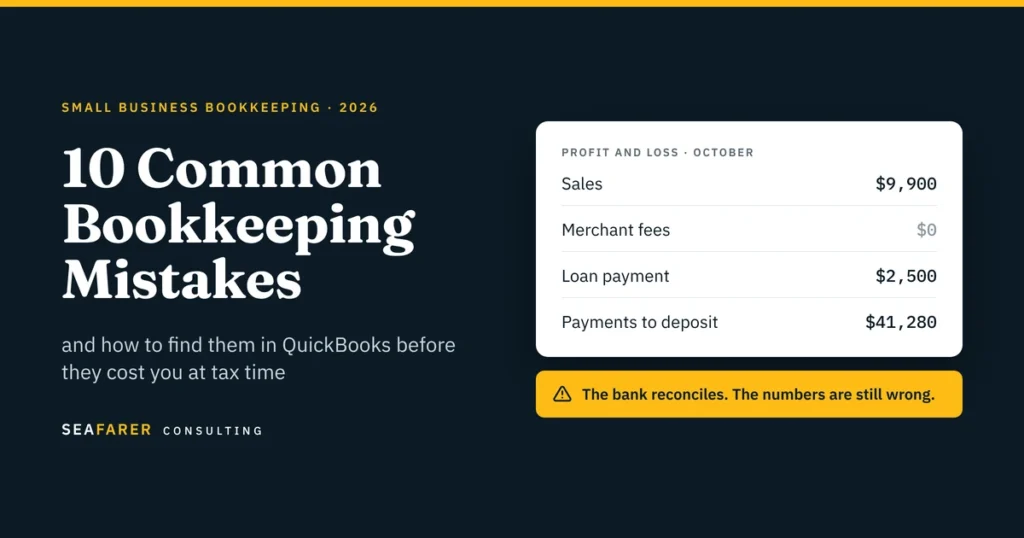
Most bookkeeping mistakes don’t show up as obvious errors. Your bank reconciles, QuickBooks shows a profit, and your reports look completely normal on the surface. The problem is that these hidden mistakes stay unnoticed until tax season, a loan application, or a sudden cash crunch.
We have put together the 10 mistakes we most frequently find when taking over books from owners and previous bookkeepers. While most “bookkeeping mistakes” articles stop at generic advice like “separate your finances” and “use accounting software,” this guide goes deeper. We show you what each mistake looks like in QuickBooks Online, the report that exposes it, and how to fix it.
If you are still deciding who should own your books, start with our guide to bookkeeping vs. accounting.
Quick answer
The most common bookkeeping mistakes are:
- Mixing Personal and Business Spending
- Accepting Bank Feed Suggestions Without Checking Them
- Booking Net Payment-Processor Payouts as Sales
- Recording Transfers, Loan Principal, and Owner Draws as Expenses
- Reconciling the Bank but Ignoring the Rest of the Balance Sheet
- Letting Payments to Deposit, Suspense or Clearing Accounts Pile Up
- Expensing Prepaids and Equipment the Month They Are Paid
- Treating Customer Deposits as Revenue on Receipt
- Tracking 1099 Vendors and Sales Tax Only at Year-End
- Closing the Month Without Reading the Reports
The 10-minute self-audit
You can check your own books for every mistake on this list without an accountant. Run each report in QuickBooks Online and look for the red flag.
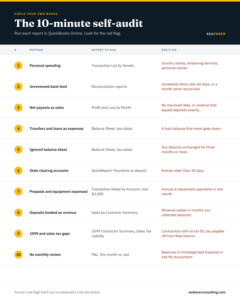
If any row turns up a red flag, the section below explains what went wrong and how to fix it.
1. Mixing Personal and Business Spending
Ordering a personal product from Amazon using the company’s business card, or paying for business software on a personal card, creates two main problems: personal costs inflate your business expenses, and business costs paid personally go unrecorded and undeducted.
How to fix it: Use separate accounts and dedicated bank cards for your business. When a mix-up happens anyway, record personal spending on a business card as an Owner Draw, do not record it as an expense.
Conversely, record business spending paid on a personal card as an Owner Contribution or an expense reimbursement, and make sure to attach the receipt. The IRS expects you to be able to support every deduction with proper records.
2. Accepting Bank Feed Suggestions Without Checking Them
The bank feed in QuickBooks only gives you automated suggestions. It does not do the accounting for you. If you accept everything blindly, it can create double transactions, link payments to the wrong invoices, or mark credit card payments as expenses.
A credit card payment is a great example. The expense actually happened when you bought the item. Paying off the card just moves money from your checking account to your credit card. If you record that payment as an expense, you are counting the same cost twice.
How to fix it: Reconcile every bank and credit card account monthly against the statement, not just the feed. A reconciliation that only ties the ending balance is not enough; the transactions inside it need to be right too. This is the core of our monthly bookkeeping service, and the step most DIY books skip.
3. Booking net payment-processor payouts as sales
This is the mistake we fix most often for ecommerce and DTC brands and restaurants. Shopify, Square, Stripe and Toast deposit a net amount. Booking that deposit as sales hides your fees, understates refunds, and buries sales tax you owe the state.
Here is a typical payout. A business sells $10,000 of product and collects $700 of sales tax on top. It issues $700 in refunds and pays $100 in processing fees. So, The deposit is $9,900.
The correct entry:
| Account | Debit | Credit |
| Bank (net payout) | $9,900 | |
| Refunds and returns | $700 | |
| Merchant and platform fees | $100 | |
| Gross sales | $10,000 | |
| Sales tax payable | $700 |
The correct net revenue is $9,300. Book the $9,900 as sales instead and three things go wrong. Revenue is overstated by $600. The $800 of refunds and fees disappear from the P&L. And $700 of the state’s money is sitting in your income.
Marketplaces are different. Amazon, Etsy and other marketplace facilitators usually collect and remit sales tax for you. That tax should not appear as a liability on your books at all. If you sell through both your own store and a marketplace, you need both treatments, and you may owe sales tax in states you have never filed in. Additionally, our sales and use tax team handles registration and filing in every state you sell into.
Why it matters at tax time: The Form 1099-K a processor sends reports gross payments before fees and refunds. If your books only show net deposits, your revenue will not tie to the 1099-K, which is the mismatch that draws IRS notices.
From our client work: The same problem shows up outside ecommerce. One of our clients collects state registration and filing fees from its customers and pays them on to the state.
How to fix it: Record the gross sales, refunds, sales tax collected, and payment-processing fees separately from the net payout. The bank should receive the net amount, while the books preserve the gross activity and related liabilities and expenses.
4. Recording Transfers, Loan Principal, and Owner Draws as Expenses
Not every dollar that leaves your bank account is a business expense. Three common transactions often get miscategorized:
- Transfers: When you transfer money between your checking, savings, or credit card accounts, you are simply shifting assets. It is not an expense.
- Loan Payments: Only the interest portion counts as an expense. The principal payment reduces your loan liability on the balance sheet.
- Owner Draws and Distributions: Money you withdraw for personal use belongs in equity, not as a business deduction.
When these items are incorrectly categorized as expenses, it artificially lowers your reported profit, inflates your loan balances, and corrupts your tax filings.
How to fix it: Ask your lender for an amortization schedule to split every loan payment accurately into principal and interest. In addition, establish a dedicated Equity account for owner draws and distributions, and route all owner withdrawals through it.
Example entries:
Transfer between accounts: Debit receiving bank / Credit sending bank.
Loan payment: Debit interest expense and loan payable for principal / Credit bank.
Owner draw: Debit owner draw or distribution / Credit bank.
5. Reconciling the Bank but Ignoring the Rest of the Balance Sheet
A reconciled bank account does not mean the books are right. The balance sheet holds the rest of the story, and it is where old mistakes hide.
Each month, check that these balances make sense:
- Accounts receivable: No invoices that were already paid but never marked as paid.
- Accounts payable: No bills you already paid sitting as open.
- Loans: The balance matches the lender’s statement.
- Payroll liabilities: The balance should tie to what is owed and not yet remitted, including accrued wages, PTO, and taxes not yet due.
- Credit cards: Reconciled to the statement, like the bank.
- Fixed assets and prepaids: They match a schedule (see mistake 7).
If you cannot explain a balance, it is probably wrong. Reviewing the full balance sheet every month is the job of a controller, not a data-entry bookkeeper. See what a controller does and when you need one.
6. Letting Payments to Deposit, Suspense or Clearing Accounts Pile Up
QuickBooks Online now calls Undeposited Funds “Payments to deposit.” It is meant to hold customer payments for a few days until they are grouped into the actual bank deposit. Suspense and clearing accounts are meant to be just as temporary.
When these accounts carry balances for months, something was never matched. The usual cause: payments were recorded against invoices, then the bank deposit was categorized as new income. Revenue is counted twice, and the leftover sits in Payments to deposit.
How to fix it: Run the account’s detailed report every month. Anything older than 30 days needs to be matched to a deposit or investigated. When a recorded customer payment is included in the actual bank deposit,
Example entry: Debit Bank / Credit Payments to deposit. The deposit should match the actual bank deposit rather than being recorded again as new revenue.
7. Expensing Prepaids and Equipment the Month They Are Paid
Pay $12,000 for an annual insurance policy and expense it in January, and January looks like a terrible month while the other eleven look better than they were. On your books, that $12,000 belongs on the balance sheet as a prepaid and should be expensed at $1,000 a month.
Equipment works the same way. A $15,000 machine is a fixed asset that is depreciated over its useful life on your books.
Tax rules often allow faster write-offs than your books do:
- The de minimis safe harbor allows businesses without an applicable financial statement (AFS) to deduct qualifying tangible property costing up to $2,500 per invoice or item. Businesses with an AFS may generally use a $5,000 threshold. To use the safe harbor, the business must have a consistent accounting procedure or policy in place at the beginning of the taxable year; if the business has an AFS, the accounting procedures must be in writing. See the IRS tangible property regulations.
- The 12-month rule can let you deduct a prepayment immediately when the benefit lasts 12 months or less and does not extend past the end of the next tax year.
- Section 179 and bonus depreciation can let you deduct larger equipment purchases in the year placed in service.
How to fix it: Set a written capitalization threshold, keep a fixed asset schedule and a prepaid schedule, and let your tax preparer decide which write-off elections to make. Keep the books on the economic reality; the tax return can differ.
Example entries:
Prepaid insurance: Debit Prepaid Insurance / Credit Bank when paid. Then, each month, Debit Insurance Expense / Credit Prepaid Insurance.
Equipment: Debit Fixed Asset / Credit Bank when purchased, followed by depreciation entries according to the applicable accounting treatment.
8. Treating customer deposits as revenue on receipt
A retainer, deposit or prepayment for work you have not done yet is not revenue. It is a liability: you owe the customer the work, or the money back.
This matters most for contractors, agencies and professional services firms, event businesses, and anyone selling subscriptions or retainers. Book deposits as revenue and you overstate income in the month you collect, then understate it in the month you deliver.
How to fix it: Record deposits to a Customer deposits (or Deferred revenue) liability account. Move them to revenue when the work is done. If your books run on cash basis, this distinction does not exist yet; see whether your business is ready to switch to accrual accounting. When the customer pays: Debit Bank or Credit Customer Deposits or Deferred Revenue.
When the revenue is earned: Debit Customer Deposits or Deferred Revenue / Credit Revenue.
Example entries:
When the customer pays: Debit Bank / Credit Customer Deposits or Deferred Revenue.
When the revenue is earned: Debit Customer Deposits or Deferred Revenue / Credit Revenue.
Refunds and chargebacks need their own entries too. Never delete the original sale. Record the refund or chargeback against it, so the history shows what happened.
9. Tracking 1099 Vendors and Sales Tax Only at Year-End
If you wait until January to sort out which contractors need a 1099, you will spend it chasing W-9s from people you paid months ago.
The 1099 threshold changed for 2026. For payments made in 2026, the reporting threshold for Form 1099-NEC is $2,000, up from $600. The threshold is adjusted for inflation beginning in 2027. The forms are due January 31, 2027. The contractor still owes tax on payments under $2,000, and you still need a W-9 on file. See the IRS guidance on Form 1099 reporting.
For Form 1099-K, the federal reporting threshold for third-party network transactions is more than $20,000 in payments and more than 200 transactions. This is a reporting threshold for the payment processor, not a tax-free income threshold. You still need to report your business income even if you do not receive a Form 1099-K.
How to fix it: Collect a W-9 before the first payment, not in January. Flag 1099 vendors in QuickBooks when you set them up. Payments made by credit card or through PayPal or Stripe are generally reported by the processor, not by you. AP tools like Ramp and Bill.com can require a W-9 before a vendor gets paid; we compare them in Ramp vs. Bill.com vs. QuickBooks Bill Pay, and our AP/AR team can run vendor onboarding for you.
Sales tax is the state’s money, not yours. It belongs in a Sales tax payable liability, not in revenue. Reconcile that liability to each filed return every period. Rules and rates vary by state, so check your state’s department of revenue, or have our sales and use tax team track it for you.
10. Closing the Month Without Reading the Reports
This is the mistake that lets the other nine survive. Books can be reconciled, categorized, and closed every month and still be wrong if nobody reads the reports.
Ten minutes with the P&L and balance sheet catches most problems. Ask:
- Why did revenue change from last month?
- Did gross margin move, and why?
- Why is cash down if the business is profitable?
- Is accounts receivable growing faster than sales?
- Does the loan balance match the lender’s statement?
- Is anything sitting in Payments to deposit, suspense, or Ask My Accountant?
- Is any expense line unusually high or suddenly zero?
If you cannot answer one of these questions, that is where the mistake is. For a deeper quarterly version of this review, use the financial checkup every small business should do. To see what a month-end review package should look like, here is a sample dashboard our clients receive after every close.
Do not edit prior periods after the return is filed. Set the close-the-books password, and check the Audit Log for unexpected changes before reopening or changing a closed period.
Frequently asked questions
How do I record Shopify payouts in QuickBooks?
Record the gross sales, sales tax collected, refunds, and fees from the payout report, with the net amount going to the bank. The bank deposit should match the payout exactly. A connector app or a monthly journal entry from the payout report both work, as long as fees and sales tax are not netted out of revenue.
Is a loan payment an expense?
Only the interest portion. The principal reduces the loan balance on the balance sheet. Your lender’s amortization schedule shows the split for each payment.
What are Payments to deposit in QuickBooks?
It is the new name for Undeposited Funds. Undeposited Funds hold customer payments until they are combined into a bank deposit. It should be close to zero at month-end.
Do I need to send a 1099 to a contractor I paid $1,500?
For payments made in 2026, no. The 1099-NEC threshold is now $2,000. For payments made in 2025, the old $600 threshold still applies. Either way, collect a W-9.
How often should I reconcile my accounts?
At least monthly for every bank and credit card account, within a couple of weeks of the statement date. High-volume businesses, especially restaurants and e-commerce, benefit from reconciling processor payouts weekly.
When should I hire a bookkeeper?
When the books are more than a month behind, you cannot explain your balance sheet, or tax season turns into a cleanup project every year. We cover the full set of signs in When Should a Small Business Hire a Bookkeeper?
How much does it cost to fix these mistakes?
It depends on how many months are affected and how many accounts and platforms are involved. A cleanup is usually priced as a one-time project, separate from ongoing monthly bookkeeping. For typical pricing, see How Much Does Bookkeeping Cost for a Small Business?
Get your books right
If the self-audit turns up red flags, you have two options: fix them in-house or hand them to a team that does this every month. Our comparison of outsourced vs. in-house bookkeeping can help you decide.
Seafarer Consulting provides bookkeeping, cleanup and catch-up, controller services and fractional CFO support.
Book a free 30-minute consultation, and we will tell you which of these mistakes are in your books.